

Key Takeaways
- Zendesk accounts are increasingly targeted by phishing and social engineering attacks.
- Traceless adds real-time identity verification and expiring secure links directly inside Zendesk tickets.
- This integration protects revenue, compliance posture, and customer trust without slowing down support teams.
A Rise in Mailcious Emails Targeting Zendesk
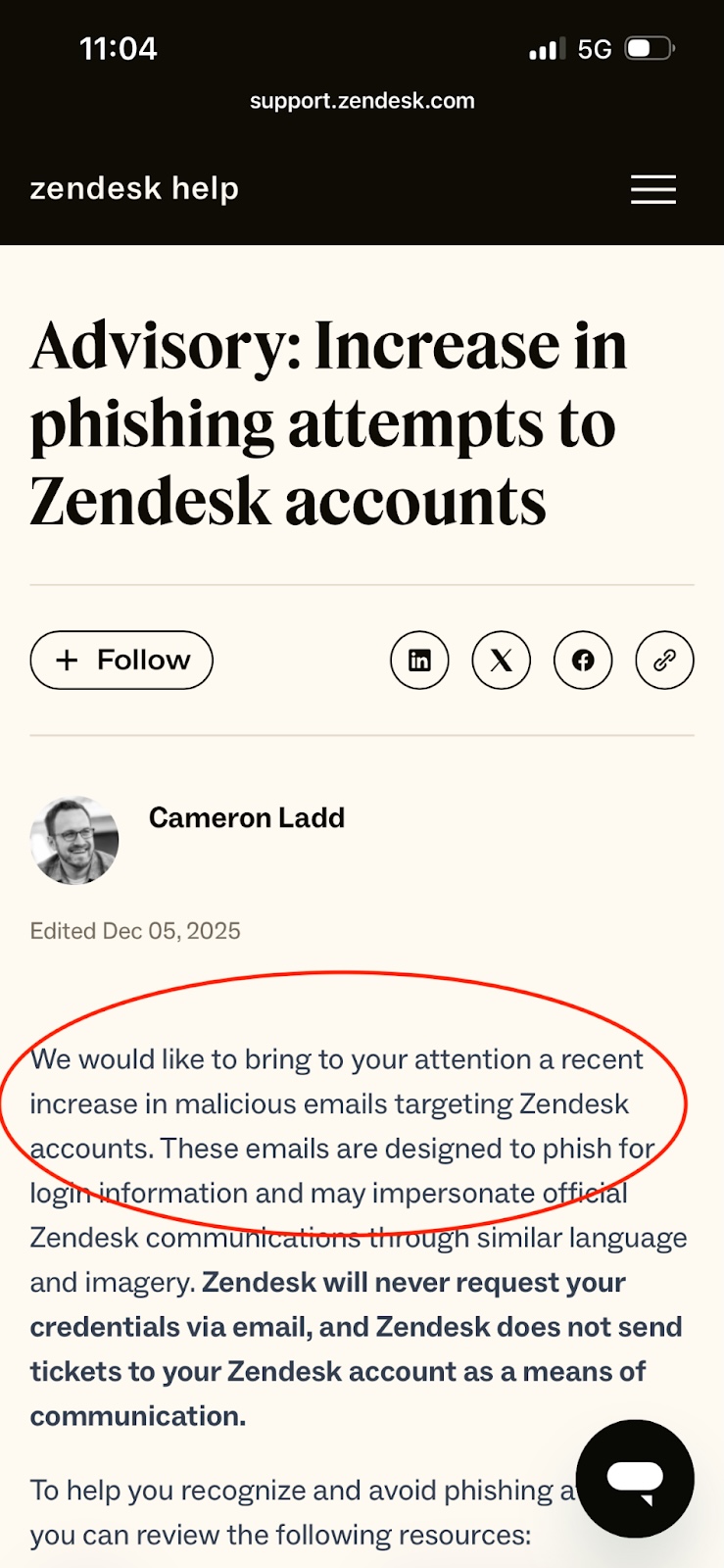
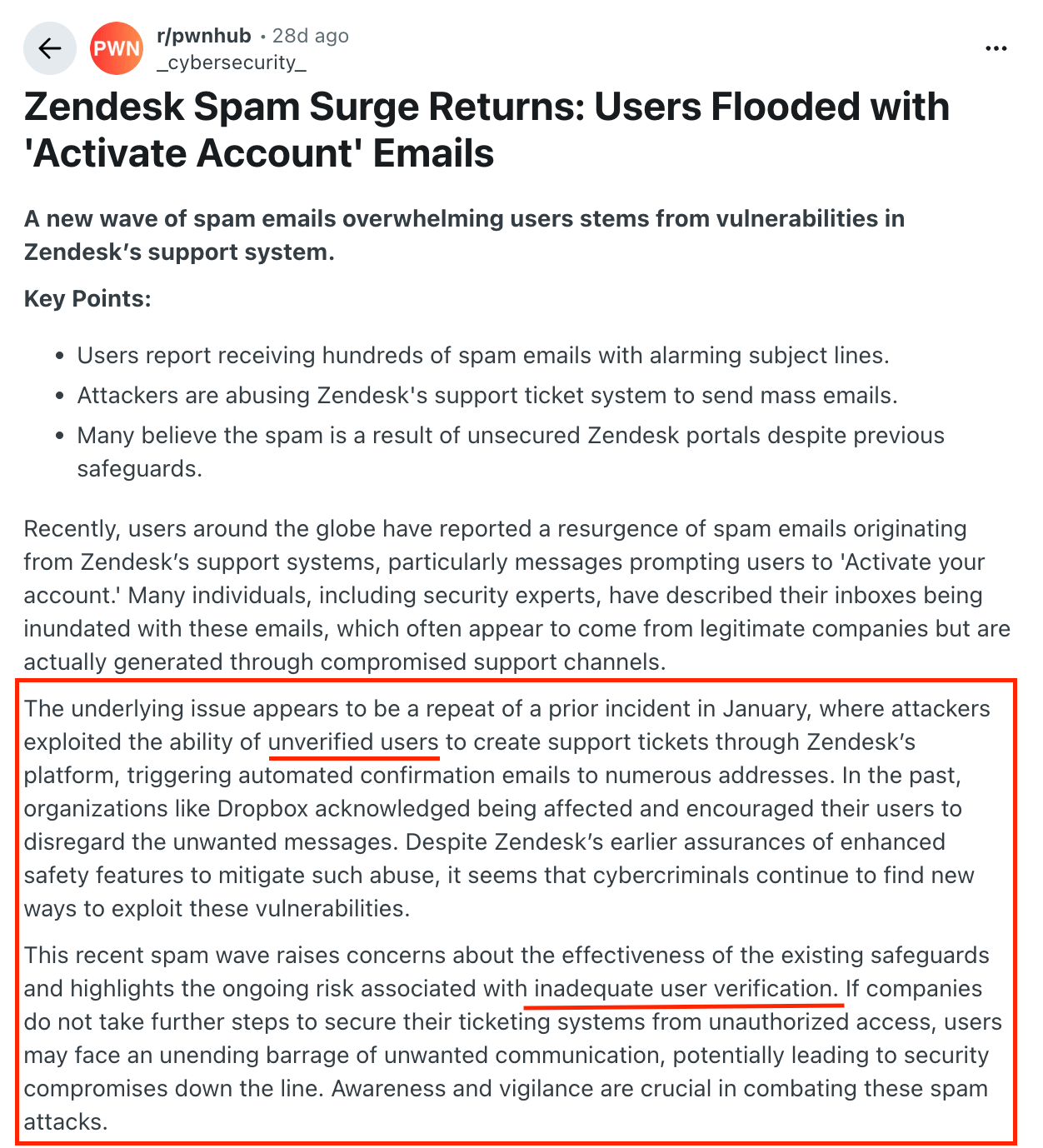
In recent months, Zendesk has publicly warned users about a rise in phishing attempts targeting helpdesk accounts. Attackers are increasingly exploiting social engineering tactics to impersonate customers, manipulate agents, and extract sensitive information.
Why Helpdesk Security Is Now a Revenue Priority
Help desks are no longer just service centers. They are identity verification checkpoints, password reset gateways, data exchange hubs, and high-value social engineering targets.
A single compromised support interaction can result in:
- Account takeovers
- Credential exposure
- Regulatory risk
- Revenue loss
- Brand damage
Traditional support workflows were built for speed not adversarial environments. Traceless bridges that gap without slowing your team down.
Zendesk Customers can now secure their helpdesk with Traceless
The Traceless integration is available directly in the Zendesk Marketplace. It adds real-time identity verification, expiring secure links, and AI monitoring to your support workflows.
Over 1 Million Transactions and $50 Billion in Protected Revenue
The Traceless integration is available directly in the Zendesk Marketplace. It adds real-time identity verification, expiring secure links, and AI monitoring to your support workflows.
What Traceless Adds to Zendesk
Traceless is a real-time communication security platform that helps teams trust the identity and data practices of the people they’re working with.
It delivers three layers of protection directly inside Zendesk support interactions.
How Traceless Secures Zendesk
1. On-Demand Identity Verification (Stop help desk phishing attacks)
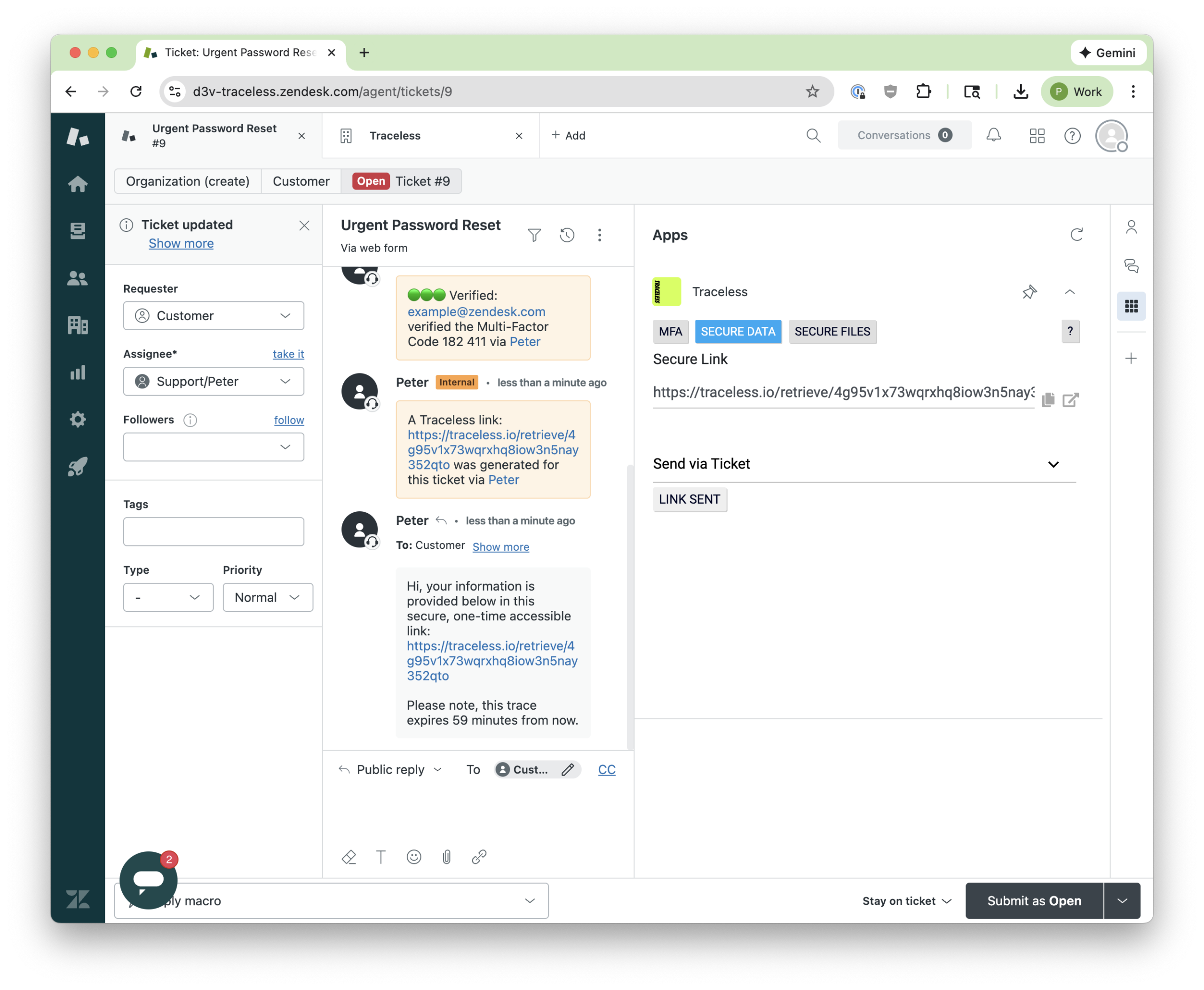
With a single click inside a Zendesk ticket, agents can trigger multi-factor identity verification before sharing sensitive data.
Common Verification Methods Supported by Traceless:
- Duo
- Okta
- Microsoft Authenticator
- SMS
- Passkeys
Microsoft Authenticator Use Case
Once the customer approves the push notification, Traceless logs the verification directly into the ticket. The audit trail is preserved. The team has proof of identity validation.
In under 30 seconds, help desk agents can mitigate phishing, vishing, and social engineering.
2. Traceless Magic Links (No More Sending Passwords in Plain Text)
Support teams frequently send temporary passwords, API keys, access credentials, sensitive files.
Securely Share Data, Files, and Text
Traditionally, data is shared via email, Slack, Teams, or ticket comments where they live forever.
Traceless replaces this with expiring, single-use secure links:
- Set a time-to-live (e.g., 30 minutes)
- Customer accesses the link once
- The secret disappears
- A ticket note confirms retrieval
No more credentials left in ticket history. No more exposed screenshots. No more lingering risk.
How Traceless Protects Revenue (Not Just Data)
Security investments often get framed as cost centers.
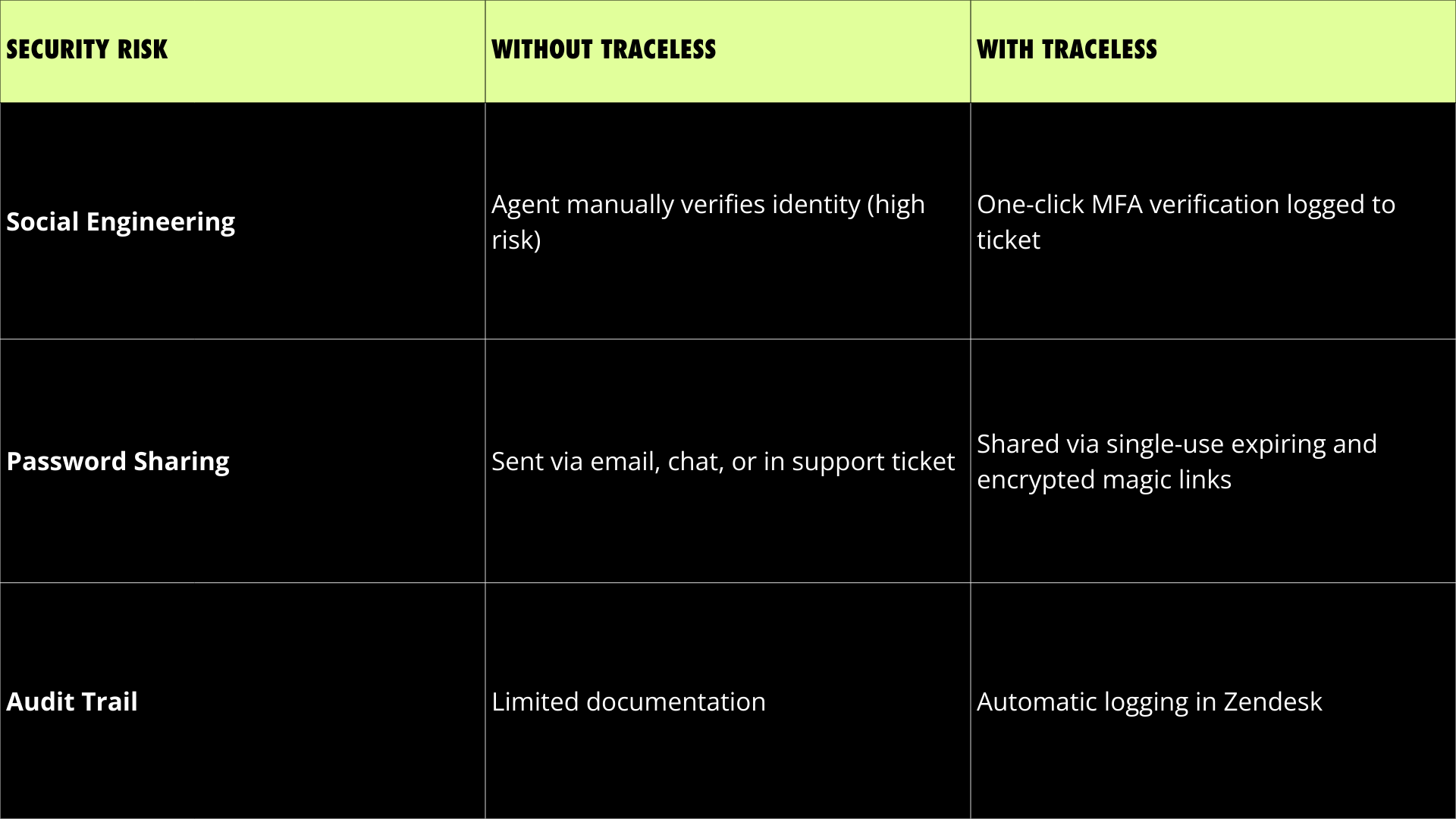
By preventing fraud and reducing exposure, Traceless protects customer trust, compliance posture, and revenue streams.
Security becomes a competitive advantage
Setup In a Few Clicks
Implementation is frictionless:
- Install from the Zendesk Marketplace
- Open any Zendesk ticket
- Use Traceless directly within the interface. No complex migration. No workflow disruption.
FAQ: Zendesk and Traceless Explained
1. Why is Zendesk a target for phishing attacks?
Help desks handle password resets, identity validation, and sensitive data exchange, making them high-value targets for social engineering.
2. How does Traceless identity verification work inside Zendesk?
Agents click the MFA button within a ticket to trigger multi-factor authentication via SMS, email, Microsoft Authenticator, or other methods. Approval is logged directly in the ticket.
3. What are Traceless magic links?
They are single-use, expiring links used to send passwords, credentials, or sensitive data securely. Once accessed, the information disappears.
4. Does Traceless slow down support teams?
No. Identity verification takes approximately 30 seconds and integrates seamlessly into existing workflows.
5. Where can I install the integration?
The app is available in the Zendesk Marketplace under the Traceless listing.